How to Convert Text to PDF Online Free Without Losing Formatting
Creating PDF documents from plain text is one of the easiest ways to share information in a professional and universally compatible format. Whether you’re working with notes, reports, assignments, articles, resumes, or business documents, converting text to PDF ensures that your content remains organized, readable, and easy to share.
In this guide, you’ll learn how to convert text to PDF online for free while preserving formatting, spacing, and document structure.
Why Convert Text to PDF?
Plain text files are simple and lightweight, but they may not always display consistently across different devices and platforms. PDF files solve this problem by preserving document formatting and providing a professional appearance.
Benefits of converting text to PDF include:
- Consistent formatting across devices
- Easy sharing via email and messaging apps
- Professional document presentation
- Better print compatibility
- Secure and widely accepted file format
- Ideal for online submissions and business workflows
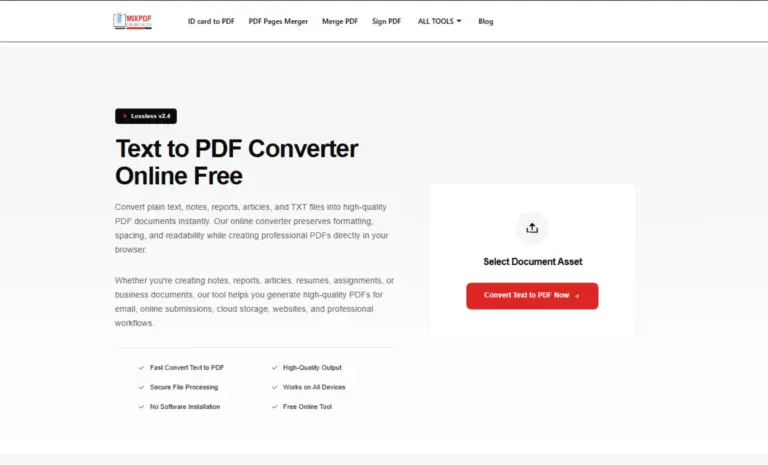
How to Convert Text to PDF Online
Converting text into a PDF document only takes a few simple steps.
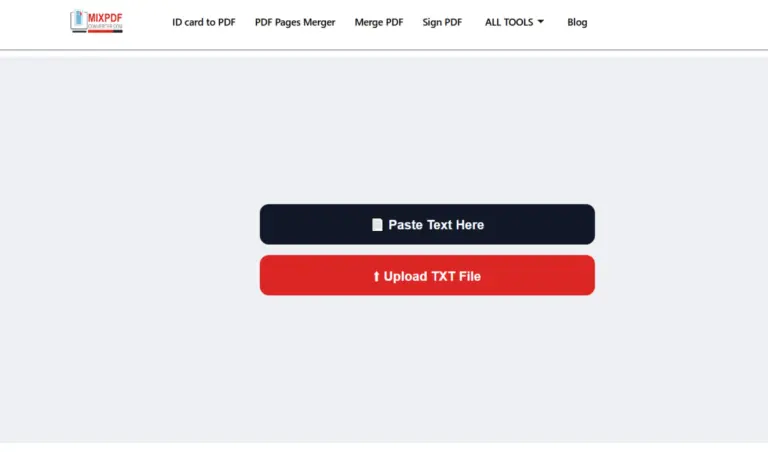
Step 1: Enter or Paste Your Text
Open the Text to PDF Converter and enter your content into the text editor. You can type directly or paste text from notes, documents, articles, or other sources.
Step 2: Generate the PDF
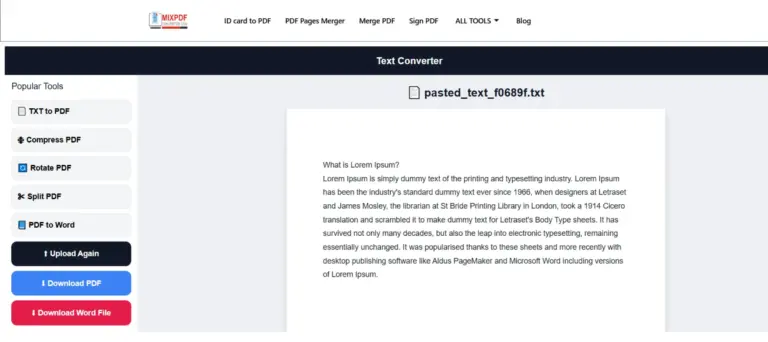
Click the Convert button to start the process. The converter automatically formats your content into a structured PDF document while maintaining readability and document layout.
Step 3: Download Your PDF
Once the conversion is complete, download the generated PDF file to your device. The document is immediately ready for sharing, printing, or submission.
Common Uses of Text to PDF Conversion
People use Text to PDF tools for many purposes, including:
Students
- Study notes
- Assignments
- Research summaries
- Project reports
Professionals
- Meeting notes
- Business reports
- Proposals
- Documentation
Writers and Content Creators
- Articles
- Drafts
- Scripts
- Blog content
Freelancers
- Client documentation
- Project reports
- Service proposals
- Deliverables
Features of a Good Text to PDF Converter
A reliable Text to PDF converter should provide:
- Fast conversion speed
- High-quality PDF output
- Preserved formatting and spacing
- Unicode character support
- Multi-page PDF generation
- Print-ready documents
- Secure processing
- Browser-based access
Does Text Formatting Stay Intact?
Yes. A quality Text to PDF converter preserves important formatting elements such as:
- Line breaks
- Paragraph spacing
- Document structure
- Readability
- Page organization
This helps ensure that the final PDF looks clean and professional.
Can You Convert TXT Files to PDF?
Absolutely. TXT files can be uploaded or copied into a Text to PDF converter and transformed into professional PDF documents within seconds. This is particularly useful for sharing text documents in a format that appears consistent on all devices.
Why PDF Is Better Than Plain Text Files
While text files are useful for storing information, PDF documents offer several advantages:
- Better presentation
- Consistent layout
- Easier sharing
- Professional appearance
- Improved printing support
- Universal compatibility
For business, academic, and professional use, PDF remains one of the most trusted document formats.
Frequently Asked Questions
Is Text to PDF conversion free?
Yes. Most online Text to PDF converters allow you to create PDF documents without any cost.
Can I create a PDF without Microsoft Word?
Yes. Browser-based Text to PDF tools work independently and do not require Microsoft Word or any other software installation.
Will line breaks be preserved?
Yes. Properly designed converters maintain line breaks, spacing, and document structure.
Can I print the generated PDF?
Absolutely. Generated PDFs can be printed using any standard PDF reader.
Can I convert large text documents?
Most Text to PDF tools support standard and moderately large documents, depending on platform limitations.
Is registration required?
No. Many online converters allow instant conversion without creating an account.
Final Thoughts
Converting text to PDF online is one of the fastest ways to create professional documents for sharing, printing, storage, and submission. Whether you’re a student, professional, writer, or freelancer, a reliable Text to PDF Converter can help you generate clean, structured, and high-quality PDF files in seconds.
If you regularly work with notes, reports, articles, assignments, or business documents, using a Text to PDF tool can simplify your workflow and improve document presentation.