JPEG to PDF Converter – Convert JPEG Images to PDF Online for Free (Complete Guide)
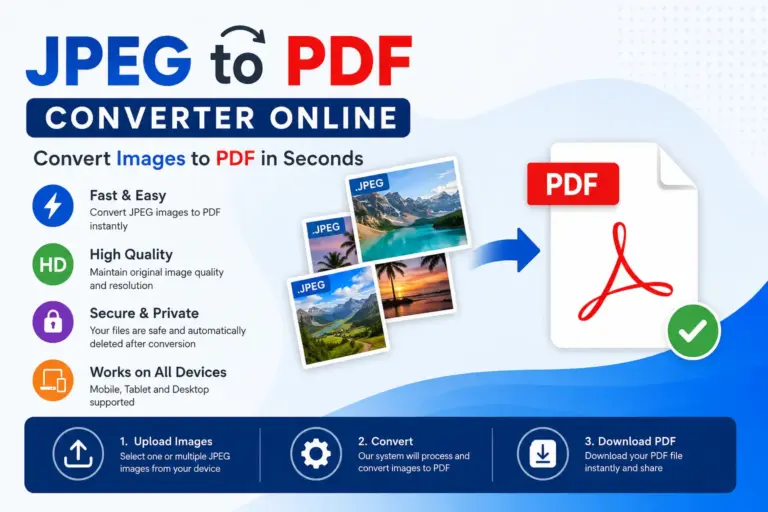
Convert JPEG to PDF Online for Free
Need to convert JPEG images into a PDF without installing software? Our JPEG to PDF Converter lets you transform one or multiple JPEG images into a professional PDF document in seconds. Whether you’re creating assignments, scanned documents, invoices, ID proofs, photo albums, or business reports, our free online tool preserves image quality while producing clean, organized PDF files.
Simply upload your JPEG images, arrange them if needed, click Convert, and download your PDF instantly.
What is a JPEG to PDF Converter?
A JPEG to PDF Converter is an online tool that converts one or multiple JPEG (.jpg/.jpeg) images into a PDF document.
Instead of sending dozens of separate images, you can combine everything into a single PDF that’s easier to:
- Share
- Archive
- Upload
- Organize
Unlike image files, PDFs maintain consistent formatting across all devices, making them ideal for professional and official use.
Why Convert JPEG Images to PDF?
Converting images into PDF provides several advantages over sharing individual image files.
Better Organization
Combine multiple JPEG files into one well-structured PDF instead of managing numerous images.
Easy Sharing
PDF files are easier to send through email, messaging apps, and cloud storage.
Professional Appearance
PDF documents look cleaner and are preferred for business, education, and government submissions.
Universal Compatibility
Almost every device supports PDF viewing without losing formatting.
Printing Made Easy
Print multiple images together as one document without resizing each image manually.
Key Features of Our JPEG to PDF Converter
High-Quality Image Preservation
Our converter maintains:
- Original resolution
- Image clarity
- Color accuracy
- Sharpness
- Aspect ratio
Your converted PDF looks nearly identical to the original images.
Combine Multiple JPEG Images
Upload multiple JPEG files and merge them into a single PDF document.
Perfect for:
- Scanned pages
- Notes
- Photo collections
- Certificates
- Reports
Lightning Fast Conversion
Our optimized conversion engine processes files quickly, allowing you to download your PDF within seconds.
Secure File Processing
Your privacy matters.
We use secure processing, and uploaded files are automatically removed after conversion.
Works on Every Device
Our online converter works perfectly on:
- Windows
- Mac
- Linux
- Chromebook
- Android
- iPhone
- Tablets
No installation required.
Browser-Based Tool
Everything runs directly in your browser.
No software.
No plugins.
No registration.
How to Convert JPEG to PDF
Converting JPEG images into PDF takes only three simple steps
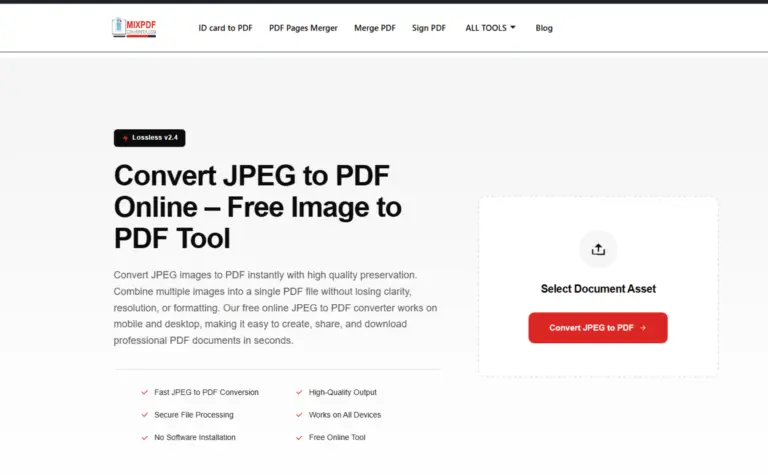
Step 1: Upload JPEG Images
Choose one or multiple JPEG files from your computer, phone, or tablet.
You can also drag and drop images directly into the upload area.
Step 2: Convert Images
Click the Convert button.
Our system automatically:
- Processes images
- Preserves quality
- Organizes pages
- Generates the PDF
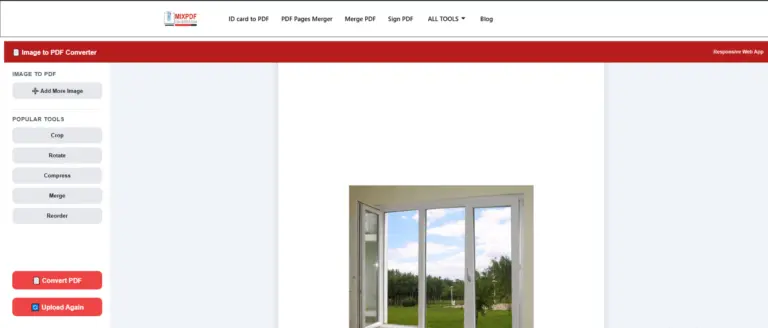
Step 3: Download PDF
Download your newly created PDF instantly.
Your document is now ready for:
- Printing
- Sharing
- Cloud storage
- Official submission
Benefits of Using JPEG to PDF
Using PDF instead of separate images offers many advantages.
Better File Management
Instead of managing dozens of image files, keep everything inside one PDF.
Faster Email Attachments
Attach one PDF rather than multiple images.
Professional Presentation
Perfect for client documents and official records.
Easier Printing
Print all pages together without arranging images individually.
Long-Term Storage
PDF is a reliable archival format accepted worldwide.
Common Uses of JPEG to PDF Converter
Students
Convert:
- Assignments
- Handwritten notes
- Lab records
- Homework
- Project pages
into a single PDF.
Teachers
Prepare:
- Question papers
- Worksheets
- Scanned documents
- Study material
for students.
Business Professionals
Create PDFs from:
- Bills
- Receipts
- Reports
- Product catalogs
- Presentations
Government Applications
Merge:
- Aadhaar copies
- PAN cards
- Certificates
- Passport images
- Forms
into one upload-ready PDF.
Freelancers
Prepare professional:
- Portfolios
- Client reports
- Design samples
- Documentation
Real Estate Agents
Convert:
- Property images
- Site plans
- Documents
into client-ready PDFs.
Healthcare Professionals
Organize:
- Medical reports
- Prescriptions
- Lab results
- Insurance documents
Why PDF is Better Than JPEG
| JPEG | |
|---|---|
| Individual image | Multiple pages |
| Difficult to organize | Easy organization |
| Limited document support | Professional document format |
| Larger collections become messy | Everything in one file |
| Not ideal for official use | Accepted almost everywhere |
Advanced Image Processing
Our smart engine automatically optimizes:
- Image orientation
- Page alignment
- Resolution
- Compression balance
- Page sizing
- Document structure
The result is a clean, professional PDF without unnecessary quality loss.
Privacy & Security
Your files remain private.
We do not permanently store your uploaded images.
Every conversion session is processed securely, and files are automatically removed after completion.
Why Choose Our JPEG to PDF Converter?
Thousands of users trust our converter because it offers:
- Fast conversion
- High-quality PDF output
- Secure processing
- Browser-based access
- Mobile compatibility
- Multiple image support
- Free usage
- No registration
- Clean PDF formatting
- Easy downloads
Tips for Best Results
For the highest quality PDF:
- Upload original high-resolution JPEG images.
- Arrange pages before conversion.
- Avoid blurry or compressed images.
- Use similar image dimensions for consistent page layouts.
- Ensure scanned documents are properly aligned.
Frequently Asked Questions
Is this JPEG to PDF converter free?
Yes. You can convert JPEG images into PDF completely free.
Can I merge multiple JPEG images?
Yes. Upload multiple images to create one PDF document.
Does image quality decrease?
No. We preserve the original resolution and clarity as much as possible.
Can I use this converter on my phone?
Yes. It works on Android, iPhone, tablets, and desktop browsers.
Is software installation required?
No. Everything works online inside your browser.
Are my uploaded images safe?
Yes. Files are securely processed and automatically deleted after conversion.
Can I print the generated PDF?
Absolutely. The generated PDF is ready for printing immediately.
Best Practices for JPEG to PDF Conversion
For professional results:
- Scan documents in good lighting.
- Use high-resolution JPEG images.
- Keep page orientation consistent.
- Remove unnecessary backgrounds before uploading.
- Organize pages in the correct order.
Final Thoughts
Whether you’re submitting assignments, sharing official documents, creating business reports, or combining photo collections, our JPEG to PDF Converter offers a fast, secure, and reliable solution.
With high-quality output, multiple image support, browser-based processing, and complete privacy, converting JPEG images into PDF has never been easier.
Upload your images, convert them instantly, and download a professionally formatted PDF in just a few clicks.