How to Compress PDF Online Without Losing Quality Using MixPDFConverter
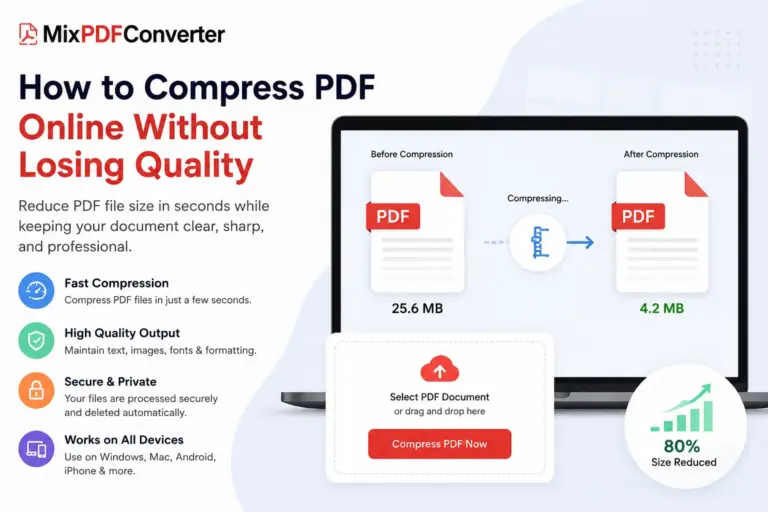
Large PDF files can be frustrating. Whether you’re trying to upload documents to a government portal, send a resume via email, submit an assignment, or share a business proposal, oversized PDF files often create unnecessary delays.
Fortunately, MixPDFConverter makes it easy to compress PDF files online without installing software or sacrificing document quality.
In this guide, you’ll learn how PDF compression works, why it is important, and how to reduce PDF file size in just a few clicks using MixPDFConverter.
Why Compress PDF Files?
PDF documents often contain high-resolution images, embedded fonts, graphics, and metadata that increase file size. While these elements help maintain document quality, they can also make files difficult to upload and share.
Compressing a PDF offers several benefits:
- Faster file uploads
- Easier email attachments
- Reduced storage usage
- Improved document sharing
- Better compatibility with website upload limits
- Faster cloud synchronization
For students, professionals, freelancers, and businesses, PDF compression is an essential productivity tool.
What Is MixPDFConverter PDF Compressor?
MixPDFConverter is a free online PDF platform that offers compression, conversion, editing, merging, splitting, watermarking, and various other PDF management tools directly from your browser. Users can compress PDF files without registration or software installation.
The Compress PDF tool is specifically designed to reduce PDF file size while preserving:
- Text readability
- Image quality
- Document formatting
- Fonts and typography
- Layout structure
- Interactive PDF elements
This allows users to create smaller files without affecting professional presentation.
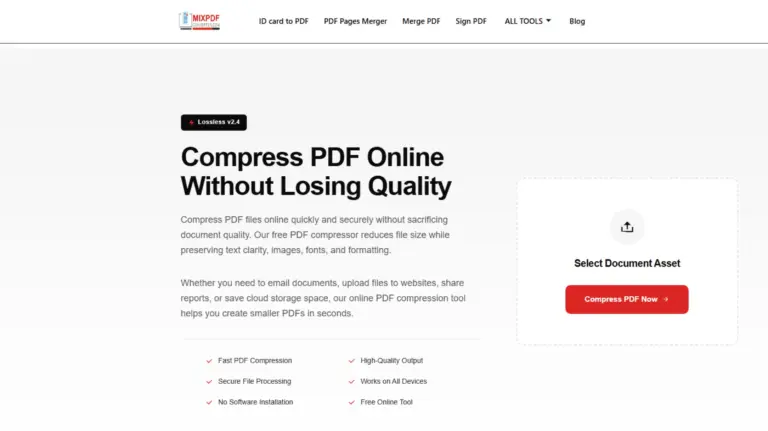
How to Compress PDF Online Using MixPDFConverter
Reducing PDF size is simple and only takes a few moments.
Step 1: Open the Compress PDF Tool
Visit the MixPDFConverter Compress PDF page and access the online compression tool.
Step 2: Upload Your PDF File
Click the upload button or drag and drop your PDF directly into the upload area.
The system accepts PDF documents created from Word files, scanned documents, presentations, reports, forms, and other sources.
Step 3: Automatic PDF Compression
Once uploaded, MixPDFConverter automatically analyzes the document.
The compression engine optimizes:
- Images
- Fonts
- Metadata
- Embedded resources
- Document structure
This process helps reduce unnecessary file weight while preserving document appearance.
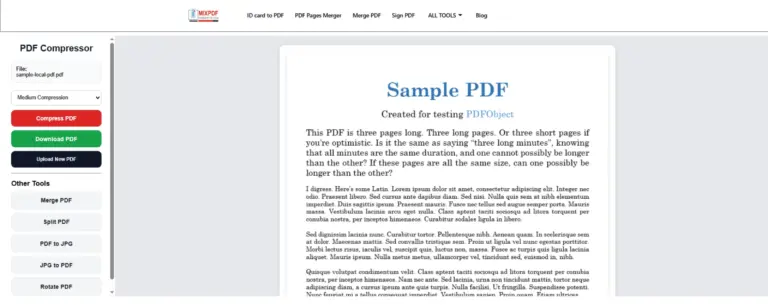
Step 4: Download Your Compressed PDF
After processing is complete, download the optimized PDF file instantly.
Your document is now smaller, easier to share, and ready for upload.
Will Compression Reduce PDF Quality?
One of the most common concerns is quality loss.
Modern PDF compression technology focuses on intelligent optimization rather than aggressive reduction. The goal is to decrease file size while maintaining readability and formatting.
In most cases, compressed PDFs preserve:
- Clear text
- Professional layouts
- Sharp images
- Embedded fonts
- Page structure
The final result remains suitable for business, educational, and personal use.
Who Should Use PDF Compression?
Students
Reduce assignment and research paper sizes before submission.
Job Seekers
Compress resumes, certificates, and supporting documents for online applications.
Business Professionals
Optimize contracts, reports, invoices, and proposals for clients and colleagues.
Freelancers
Share portfolios, project documents, and client agreements more efficiently.
Government Portal Users
Meet file-size requirements for online applications and document uploads.
Advantages of Using MixPDFConverter
No Software Installation
Everything works directly from your browser.
Completely Free
Compress PDF files without subscription fees.
Fast Processing
Most documents are optimized within seconds.
Secure File Handling
Files are processed securely and automatically removed after completion.
Cross-Platform Compatibility
Works on:
- Windows
- macOS
- Linux
- Android
- iPhone
- Tablets
User-Friendly Interface
No technical skills are required.
Tips for Better Compression Results
To achieve the best results:
- Remove unnecessary pages before compression.
- Avoid using extremely high-resolution images when creating PDFs.
- Compress files before uploading them online.
- Store compressed versions to save cloud storage space.
- Keep original copies for archival purposes.
Frequently Asked Questions
Is MixPDFConverter PDF Compressor Free?
Yes. Users can compress PDF files online without paying fees.
Do I Need to Create an Account?
No registration is required to use the PDF compression tool.
Is My PDF Secure?
Files are securely processed and automatically removed after completion.
Can I Compress PDFs on Mobile Devices?
Yes. The tool works on Android smartphones, iPhones, tablets, laptops, and desktop computers.
Does Compression Affect Formatting?
The compression process is designed to preserve document structure, formatting, and readability.
Final Thoughts
Large PDF files can slow down your workflow, consume unnecessary storage, and create upload issues. With MixPDFConverter’s free online PDF Compressor, you can reduce PDF file size quickly while maintaining document quality.
Whether you’re submitting assignments, sending contracts, uploading forms, or sharing reports, PDF compression helps make document management faster and more efficient.
Try MixPDFConverter today and compress your PDF files in seconds for easier sharing, storage, and productivity.