Merge Two PDF Pages into One Online Free – Complete Tutorial (2026 Guide)
If you often work with books, study notes, scanned documents, reports, or printable PDFs, you may sometimes want to combine two PDF pages into a single page. This helps reduce paper usage, improves readability, and creates compact documents for sharing or printing.
With MixPDFConverter, you can easily merge two portrait PDF pages side-by-side into one landscape page online for free — directly from your browser without installing any software.
In this tutorial, you’ll learn how to use the PDF Pages Merger tool step-by-step.
What is PDF Pages Merger?
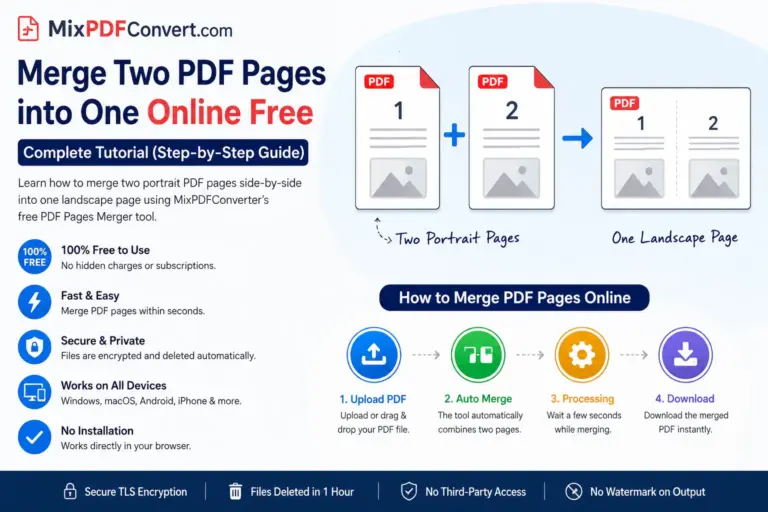
The PDF Pages Merger tool combines two separate portrait pages into one landscape page automatically.
For example:
* Page 1 + Page 2 → One landscape page
* Page 3 + Page 4 → Next landscape page
This creates a compact PDF that is easier to:
- Read
- Archive
- Share online
- Save storage space
It works especially well for:
- eBooks
- Lecture notes
- Reports
- Invoices
- Scanned documents
- Office files
- Study material
Why Use MixPDFConverter PDF Pages Merger?
✅ 100% Free
No subscription fees or hidden charges.
✅
No Software Installation
Everything works online inside your browser.
✅
Fast Processing
Merge pages within seconds.
✅
Secure & Private
Files are protected using encrypted upload processing and automatically deleted after processing.
✅
No Watermark
Your final PDF remains clean and professional.
✅
Mobile Friendly
Works smoothly on:
- Android
- iPhone
- Windows
- macOS
- Linux
- Tablets
Step-by-Step Tutorial: How to Merge PDF Pages Online
Step 1: Open the PDF Pages Merger Tool
Visit the official tool page on MixPDFConverter.
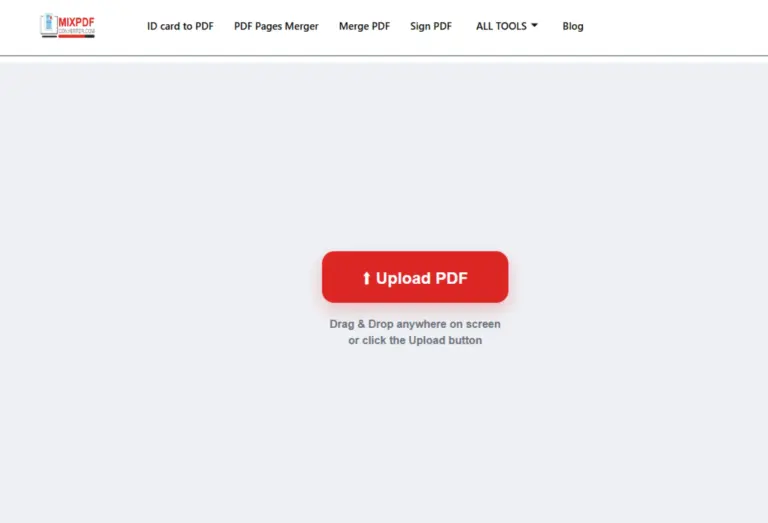
You will see the upload section where you can drag & drop your PDF file.
Step 2: Upload Your PDF File
Click the Upload PDF button or drag your file into the upload area.
Supported files include:
- Books
- Notes
- Scanned PDFs
- Reports
- Presentations
- Official documents
The tool starts preparing your file instantly after upload.
Step 3: Automatic Page Merging
Once uploaded, the tool automatically:
- Takes two portrait pages
- Places them side-by-side
- Creates a single landscape page
No manual settings are required.
This makes the process extremely beginner-friendly.
Step 4: Wait for Processing
The system processes your document within a few seconds depending on file size.
Large PDFs may take slightly longer.
During processing:
- Quality remains intact
- Layout stays organized
- Text readability is preserved
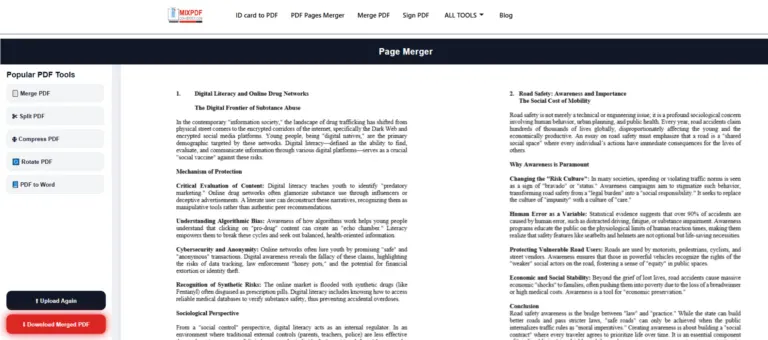
Step 5: Download Your Merged PDF
After processing completes:
- Click the Download PDF button
- Save the merged landscape PDF to your device
Your new PDF is now optimized for:
- Printing
- Compact reading
- Easy sharing
- Archiving
Best Uses of PDF Pages Merger
📚 Books & eBooks
Combine pages for booklet-style reading.
📝 Study Notes
Create compact revision notes with fewer pages.
📄 Reports & Presentations
Reduce page count while maintaining readability.
🖨 Print Optimization
Save paper and printing costs.
📂 Archive Documents
Store documents in a more organized format.
📠 Scanned Documents
Improve scanned PDF layouts for easier viewing.
Is the Tool Safe?
Yes.
MixPDFConverter uses secure processing methods to protect uploaded files.
Security features include:
- Encrypted uploads
- Temporary processing
- Automatic file deletion
- No permanent storage
- No third-party access
Your privacy remains protected throughout the process.
Frequently Asked Questions
1. Is the PDF Pages Merger free?
Yes, the tool is completely free to use online.
2. Do I need to install any software?
No. Everything works directly in your browser.
3. Will my PDF quality reduce?
No, the tool is designed to preserve document quality during merging.
4. Can I use it on mobile devices?
Yes. It works on Android phones, iPhones, tablets, and desktop devices.
5. Is there any watermark added?
No watermark is added to your final PDF.
6. Can I merge large PDF files?
Yes, large files are supported depending on browser and device capability.
7. Does it work for scanned PDFs?
Yes, scanned documents can also be merged successfully.
Final Words
If you want a fast, secure, and simple way to combine two PDF pages into one landscape page, MixPDFConverter PDF Pages Merger Tool is an excellent solution.
It is beginner-friendly, works on all devices, and helps optimize PDFs for printing, reading, and storage — all without installing software or creating an account.
Simply upload your PDF, merge pages automatically, and download the optimized file in seconds.